-
 By
-
By
-
-
 23 Sep, 2026
Is App Switching Reducing Team Productivity? Causes & Solutions
Key Takeaways
- Employees often lose productivity due to constant app switching. It is the repeated movement between different apps and tools to complete work tasks.
- It can take a mental toll on employees to keep switching from one task to another, leading to frustration and lost focus.
- Employees, on average, lose 2 to 3 hours every week due to app switching at workplace. They feel overwhelmed by continuous notifications and scattered information from distributed digital tools. This leads to missed deadlines, productivity losses, increased expenses, employee disengagement, and more.
- To solve this problem, ensure you audit your tool stack, use key integrations to keep work streamlined, and set clear rules for important tasks.
- Use a single connected employee management system that brings communication, meetings, training, task and project management, and productivity tracking into one platform. This will save you time and energy in the long run.
Yes, constant app switching can drastically reduce team productivity and workflow efficiency. Employees have no other option than to repeatedly switch their focus between chat and communication, project management, documents, and other workplace tools.
It is quite challenging and time consuming to look for important details that are scattered across multiple apps. They spend more time checking emails or chasing followups for the latest updates.
According to Gallup’s 2026 data estimated that employee disengagement costs India approximately ₹32.7 trillion in lost workplace productivity. Moreover, manager engagement has dropped by 9% since 2024.
Apps toggling, also known as context switching, not only disengages workers but also elevates stress, delays deadlines, and reduces work quality and overall team productivity. As a result, the business incurs significant losses due to operational inefficiencies and wasted employee time. In this guide, you’ll discover the common causes of app toggling and their practical solutions for efficient outcomes. For instance, you can integrate an all-in-one employee management system that brings team collaboration software, productivity management, and employee training into a single platform. You can chat or discuss updates while working without context switching.
Let’s Get Started!
1. What is App Switching or Toggling at Workplace?
App switching or toggling at work is the act of employees repeatedly switching between workplace applications or tools to complete assigned tasks, track work, communicate, and access information.
This is also known as context switching at work. The process of jumping between a team communication tool, email, a spreadsheet, and a project management tool exhausts the mind. It increases cortisol levels, slows people down and makes it difficult to focus on the work. This can gradually affect overall productivity, leading to missed deadlines and increased expenses. With one connected employee management system, you can bring employees, work and communication under one roof.
2. How Much Time Do Employees Waste Due to Context Switching?
Employees, on average, lose 2 to 3 hours every week due to context switching. They switch between tabs, apps and software platforms an average of 33 times per day. This is a lot of time wasted at the workplace. Around 1 in 2 employees feel overwhelmed by constant notifications and alerts from their distributed digital tools.
The recent report finds that workers use an average of four communication apps for sharing updates related to a specific project, video conferencing, chat, etc. To boost team productivity, you will need a system that integrates team collaboration software, task management and productivity tracking in one place. They don’t have to switch between different tools to work and collaborate.
3. Common Causes of Constant App Switching
App switching is a real issue for businesses these days. It can reduce team productivity by affecting their concentration and increasing wasted hours spent on manual navigation while working. Have a look at the common reasons and find practical solutions to become a great remote manager (if you have a distributed team)
- Overloaded Tool Stack: The majority of businesses use separate, single-purpose tools/platforms/apps for everything, such as CRM, chat, task management, file storage, video calls, project tracking, etc. This makes it difficult for employees to repeatedly switch between tools. For instance, you are writing an article on MS Word and get an update on Teams or any other communication tool. You have to switch to the chat tool for the follow up.
- Poor Tool Integration: Lack of synchronisation between distributed apps forces employees to manually copy and paste links, information and updates from one place to another instead of integrating data automatically.
- Constant Notification across Tools: Notifications and alerts buzzing from six different workplace apps lead to irritation and forces workers to check each one constantly. This also happens out of fear of missing important details or updates.
- Unclear Work Priorities: When everything seems scattered, it becomes difficult to prioritise work. You may end up jumping from one app to another without any vision or deadline.
4. How Does App Toggling Drain Team Productivity
Workplace app toggling gradually drains team productivity. Employees often lose focus because they need to rebuild their concentration after juggling multiple apps or tools.
There is no denying that finding simple information across scattered systems leads to project delays and missed deadlines. When updates get lost between threads or tools, it can lead to communication gaps that leave employees annoyed and disengaged. As a result, they end up making blunders that can affect the entire business efficiency. Even accountability becomes unclear when there is no integrated employee management platform on the go. It is unclear to understand where a task is assigned.
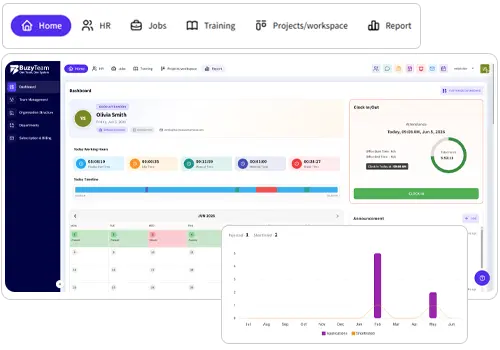
That’s where you need the best employee management software that brings all tools together in an integrated dashboard, saving you time and energy.
5. Key Solutions: How to Reduce App Switching to Improve Performance
Here= are some practical solutions that may help you boost team productivity and workflow efficiency:
- Audit your Software Tools Stack: Make sure you list every workplace app your employees use on a daily basis. Check the overlaps and unused apps and remove them to reduce unnecessary time waste.
- Use Key Integrations: You can connect calendars, etc into the primary hub to keep the interface streamlined and more structured. This will reduce time wastage and boost productivity.
- Set Clear Rules for Urgent Work: Managers must decide what counts as priority work so employees feel safe closing messaging apps during working hours. Also, set project milestones to avoid missed deadlines.
- Integrate All-on-One Workforce Management Software: Bring time tracking, task management, project tracking, communication, team meetings and productivity track on a single dashboard.
6. Can One Centralised Employee Management System Eliminate Context Switching?
Yes, one connected workplace management software keeps your team aligned, focused and engaged. Businesses can bring all the essential workplace tools into one single platform. Instead of choosing a system that offers the largest number of features, focus on investing in the system that streamlines workflows, enhances team communication, boosts employee training and productivity, and provides detailed insights into performance using AI integrations.
Choose a system that offers the following:
- Team Chat and Communication: Whether it’s a hybrid team or an in office workforce, they should be able to convey important details, files, updates, etc without constantly moving between different tools.
- Video Meetings: Teams with flexible work arrangements can now collaborate easily through video meetings without switching tools. Apart from screen sharing and recordings, it can even transform meetings into actionable items using AI meeting assistants.
- Project & Task Management: Enable employees to create, assign and track tasks on a single dashboard. Even project managers can access the timeline to see who is working on what on one connected platform.
- Employee Training: Do you want to train your new hires about SOPs? Is there any training on a new product? Instead of logging into a separate Learning and Development platform, integrate all in one workforce management tool that offers employee training software for creating proficient teams.
- Employee Management: You don’t need have to switch apps when accessing HR information, employee attendance, performance reports, and employee records. A centralised employee management system can bring these tasks together.
- Productivity Tracking: Managers can gain visibility into task progress, employee activities, working patterns, and completed projects using productivity management software. The AI KPI/KRA builder helps create reports effortlessly.
When you integrate one centralised business management software, you can save a lot of time and energy while boosting your team’s productivity. The tool brings together all the key functions that prevent app toggling.
Wrapping Up
If your employees are still juggling across multiple workplace tools and apps during working hours, you are simply paying the cost in missed deadlines, lost productivity and employee frustration. It is important to focus on identifying the major cause of app switching, auditing the tools, or simply installing an integrated employee management software that brings team, work, and collaboration together on one platform. This not only reduces frustration but also boosts productivity and workflow efficiency.
Frequently Asked Questions
1. What is context switching at the workplace?
Context switching is the act of jumping back and forth between different apps, digital tools, and tabs (such as juggling emails, a project dashboard,, and teams) to complete assigned work. Repetitive actions can make employees feel frustrated, leading to incomplete tasks or projects due to a lack of concentration.
2. Why do employees switch between workplace apps?
Employees switch apps because different tools are used for task management, communication, meetings, projects, and file sharing. Due to scattered information across apps, excessive notifications and disconnected workflows, businesses end up losing their important projects and clients.
3. What’s the difference between app switching and multi tasking?
App switching is the habit of moving between apps or tools to complete everyday office work, while multitasking means working on multiple tasks at the same time.
4. How Do I Measure the Impact of App Switching on Productivity?
You can track key indicators, such as time spent completing tasks, project details, duplicate work, communication gaps, missed updates and employee feedback. It is good to compare these measures to determine whether reducing unnecessary app toggling improves productivity.
5. How Does One Connected Platform Reduce App Switching?
An integrated workplace management software reduce app switching by keeping employee training, team communication, file sharing, task management, project progress and scheduling within one system. Instead of juggling across three to four separate apps, you can streamline your workflow by assigning tasks, tracking productivity and sharing files without leaving the screen.