

01
Job Post Management
DraftPublishManage
Bring AI in recruitment process to effortlessly find candidates, screen applications, schedule interviews, and take action with your approval.
A smart recruitment assistant with full access to BuzyTeam ATS to understand the hiring pipeline, create job posts, and prepare the next action for faster decisions.
AI recruitment software to automatically draft, publish and manage job postings with skill tags.
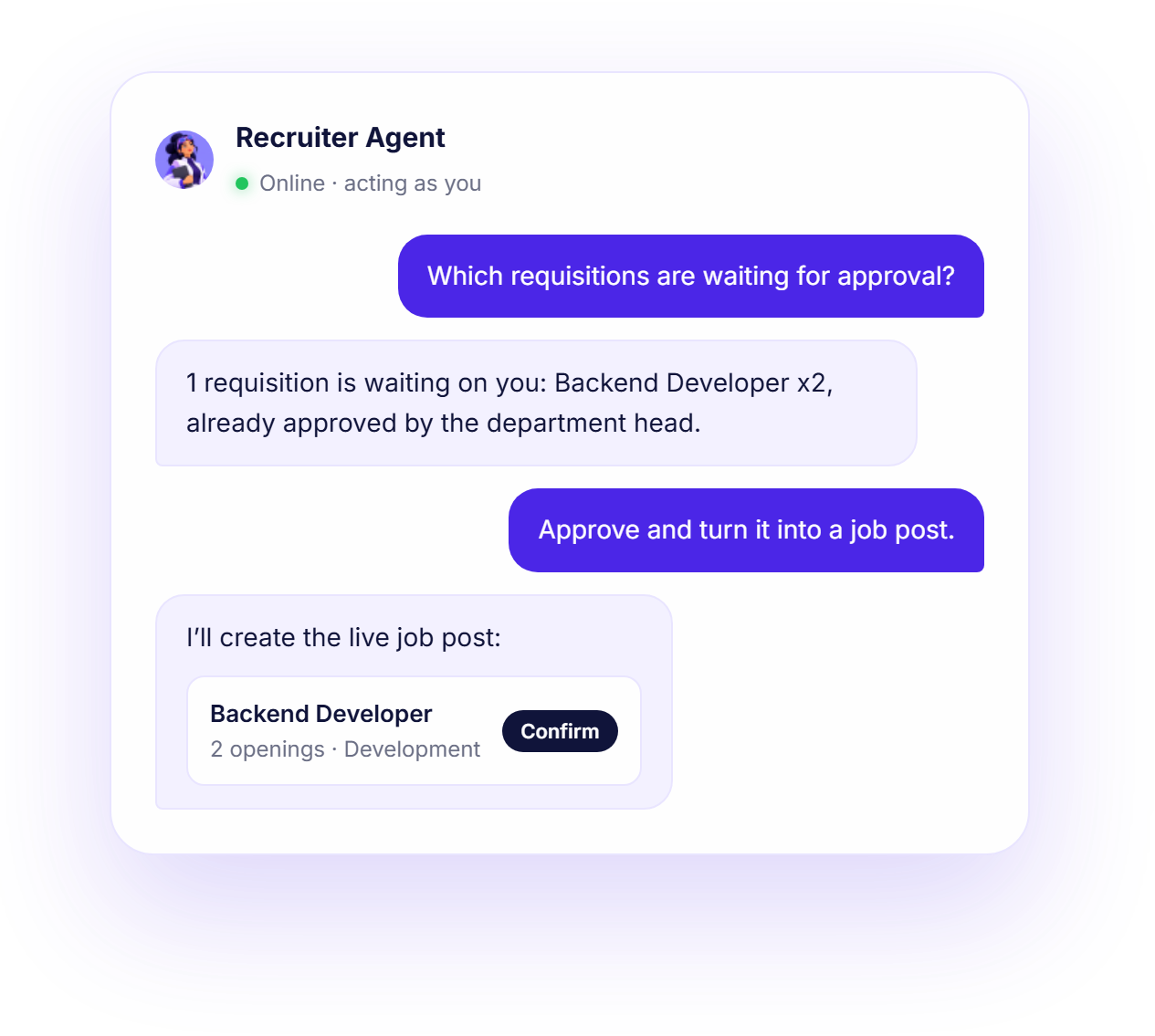
Create headcount requests, manage approvals, and turn approved requisitions into live postings.
Register candidates, update profiles, and shortlist the right talent, hire or reject with a reason using Recruiter Agent.
Schedule, reschedule, or cancel interviews without any hassle. Let AI record interview outcomes.
Stop spending hours on routine recruitment tasks. Ask AI Recruiter to find, screen, shortlist and move candidates forward with your approval.
Automate the hiring process and give recruiters up to 70% of their time back.
Your AI can act within your permissions. Every write action is shown to you and confirmed before it runs.
Tell your recruiter agent what you need.
The Agentic AI reads the hiring context to find the relevant information.
It delivers what needs attention and recommends the next action.
Review and approve the action with an explicit yes or plain language.
Recruiter Agent completes the approved action within the ATS.

I can schedule interviews with the 4 shortlisted candidates. Confirm?
Schedule interviews for the 4 shortlisted candidates?
Get clear answers to your questions about the Recruiter Agent.
The Recruiter Agent is BuzyTeam’s chat-based AI assistant with complete access to your ATS. It manages job postings, requisitions, candidates, invites, interviews and routine hiring tasks through natural-language instructions. It acts as a smart intern, automating the entire recruitment workflow.
Ask the Recruiter Agent like your colleague or an intern, give instructions in plain language and let it complete action upon your approval. It prepares a list of suggested actions based on information inside the ATS module. Review and approve actions and see how the agentic AI completes the tasks in a few minutes.
Yes, it can create, edit, close and list job postings across popular portals. It can also draft job descriptions with skill tags and even screening questions using AI.
The Recruiter Agent works with the BuzyTeam ATS data your role already has access to, including job postings, requisitions, candidates, applications, interviews, and outcomes.
Ask Recruiter Agent about applicants, and it will provide you with all data and what needs attention. It can add and update candidates, access their profiles, add notes, run or re-run AI fit reviews and move talent via the recruitment pipeline – saving your hiring time and energy.
Yes, it can send emails directly to the candidates, streamlining the entire workflow.
Yes, it can schedule, reschedule and even cancel both human and AI interviews with your final approval.
No. For actions that create real changes or send communications, it shows you the exact details first and waits for your approval before proceeding.
No. It acts as the logged-in user, through the same permissions you already have, so it can never see or do more than you could by hand.